
CMX security and privacy
Separated in the database, recorded on every change, stored in your region.
For IT, legal and the information officer: how CMX keeps each company’s contracts apart, what it records, where it keeps them and how the AI is held in bounds.
Tenant separation
Row-level security on every table, and one visibility function behind every list, search, count, export, notification and AI answer.
Tenant separation enforced in the database and proved by leak tests on every release.
Access
Roles are scoped by department, entity, contract type and confidentiality. A restricted contract carries a named access list that scope alone cannot open, and never appears in a count, an autocomplete or an answer for anyone not on it.
Admin roles give no contract access. Department admins manage people only in their own department, and nobody changes their own roles.
Audit trail
Every state change is a named command that writes an append-only audit event. Exports are audit events too.
A quarterly access review per department: keep, remove or refer, then sign-off locks it.
Where data is stored
Your contracts are stored in your region: South Africa today, with EU and US hosting on request as a dedicated deployment.
Stored in your region, with backups in a second location in the same country. Backups with point-in-time recovery.
How the AI is kept in bounds
The model never receives the text, title, counterparty or count of a contract the person asking cannot open. Contract text is data, never instructions: the output has a strict schema and the model uses no tools.
The AI runs under our contract with an enterprise AI provider, with zero retention and no training on your data. A daily AI spend cap you set.
Sign-in
Sign in with the Microsoft or Google identity your company already has. The domain you sign up with is your workspace’s only sign-in domain, and sessions end when idle and after a set time.
Electronic signature
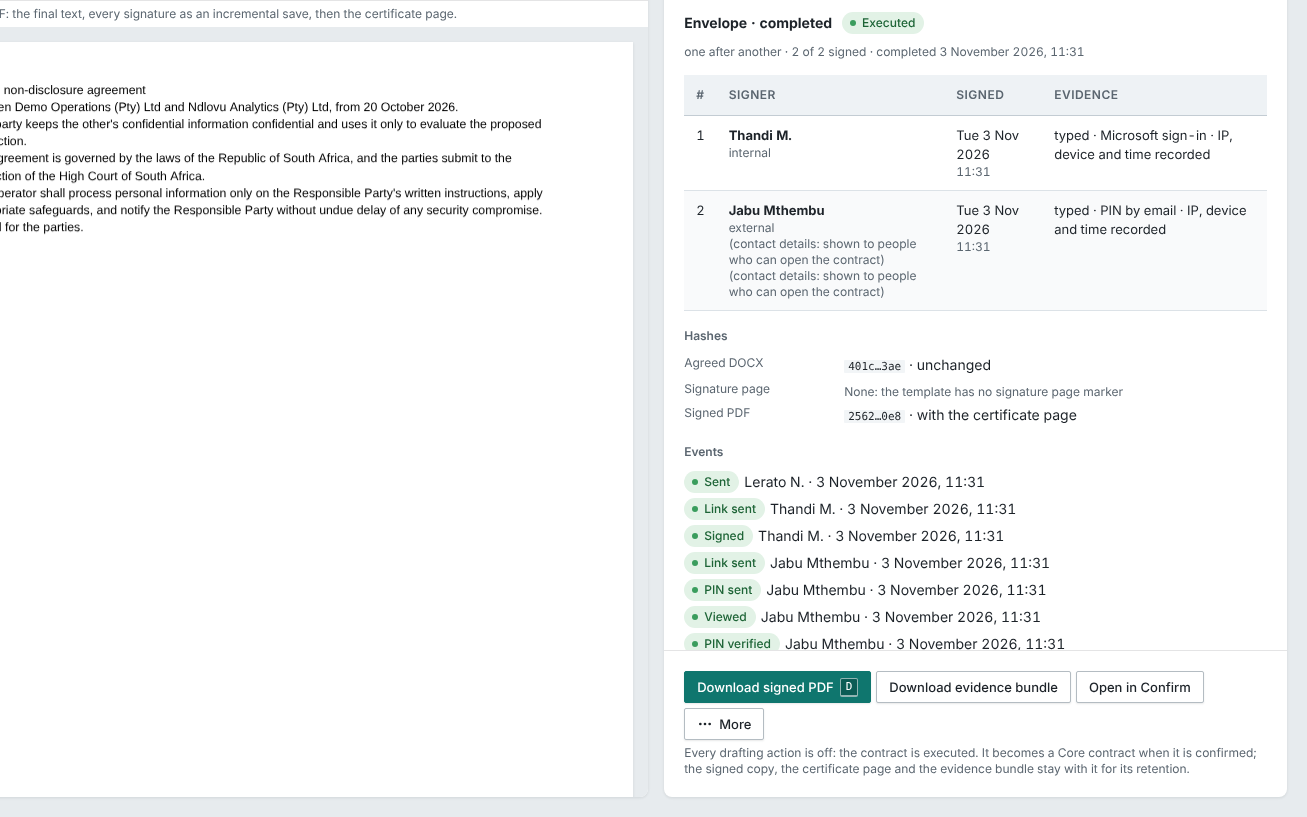
Electronic signature inside CMX, as the ECT Act recognises it: a secure link, a one-time PIN, consent and the evidence attached to the executed PDF. Where a document must be signed by hand or with a certificate, sign it outside CMX and upload the signed copy: CMX compares it with the final version, flags any change other than signatures, initials and dates, and runs its obligations like any other contract.
A contract type can be set to need a certificate signature. CMX keeps it out of electronic signing; sign it outside CMX and upload the signed copy.
Reporting feed
The Power BI feed is read-only. Each token runs as the person who made it and returns only what they can open; it expires after 90 days, and every refresh is audited. It never carries document text or unconfirmed values.
Privacy laws
CMX is built for POPIA and the privacy laws modelled on the same principles: data stored in your region, access decided in the database and limited to the people who need it, an audit trail of every change, retention and deletion you set, signers’ details shown only to people who can open the contract, and a breach procedure.
Questions from your security review?
Send them to us and we’ll answer them in writing.